


In the era of digital transformation, email remains the lifeline of corporate communication, yet it is also the primary entry point for cyberattacks. Based on Microfusion’s experience in helping hundreds of enterprises migrate to the cloud, we have learned: “Cybersecurity defense should not be about rigid blocking, but about flexible management.”
Sometimes, a seemingly suspicious email may contain valuable business opportunities, while a seemingly ordinary message may carry ransomware. This is why we need “Email Quarantine” — it acts like a customs security checkpoint for your company, allowing administrators to intercept and review messages before threats reach employees’ computers.
Why Does Your Enterprise Need Email Quarantine?
Traditional filtering mechanisms often face a dilemma: false positives or missed threats. At Microfusion, we have observed that today’s AI-powered phishing emails possess extremely sophisticated imitation capabilities—relying solely on automated system detection is no longer sufficient. By implementing a quarantine zone, IT administrators can:
- Precision Interception: Proactively isolate emails that match specific criteria (e.g., containing certain keywords or attachment formats) before they reach end users.
- Risk Mitigation: Prevent employees with limited security awareness from accidentally clicking malicious links or downloading infected attachments.
- Flexible Decision-Making: After verifying email safety via the admin console, administrators can choose to release, delete, or reject messages as needed.
Get Started in 3 Minutes: Step-by-Step Guide to Configuring Gmail Email Quarantine
Activating this protection feature is simple. Follow the official navigation path below to quickly establish your enterprise’s email review mechanism:
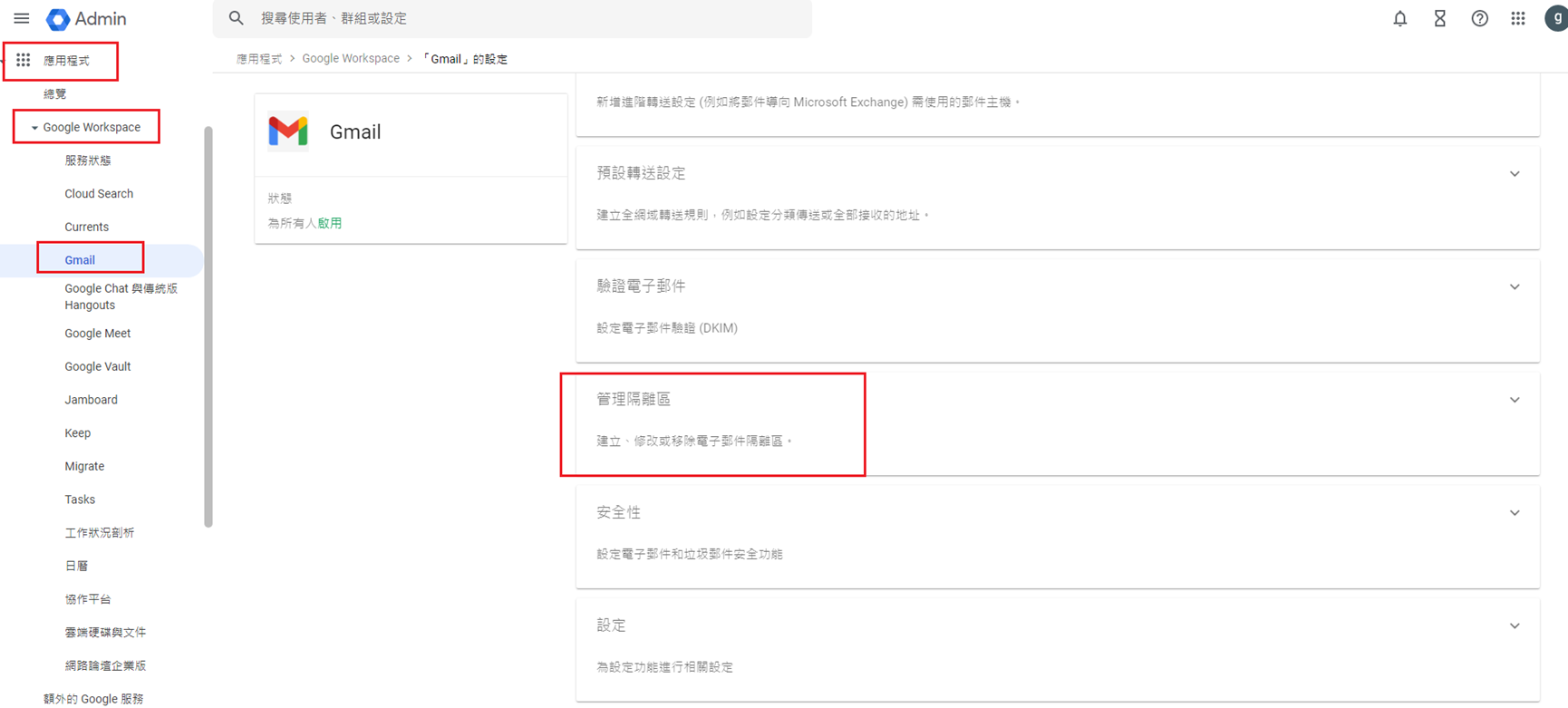
Please configure this setting via: Admin Console > Apps > Google Workspace > Gmail > Manage Quarantine
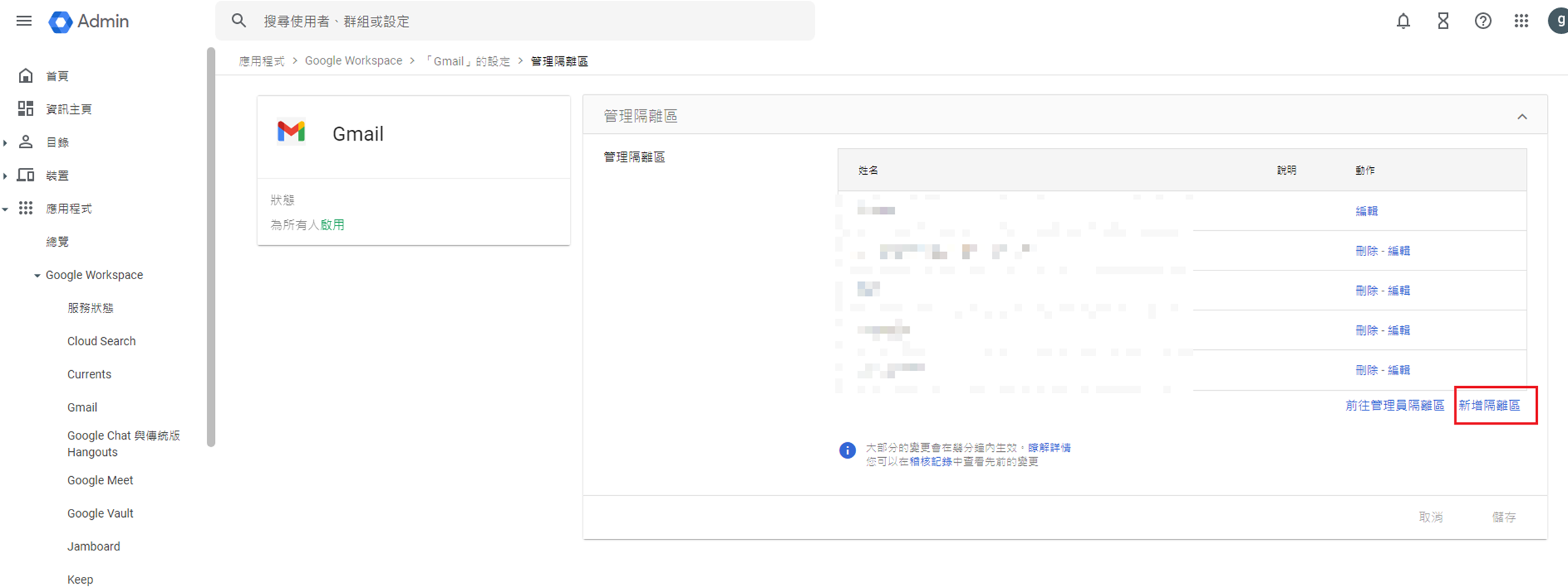
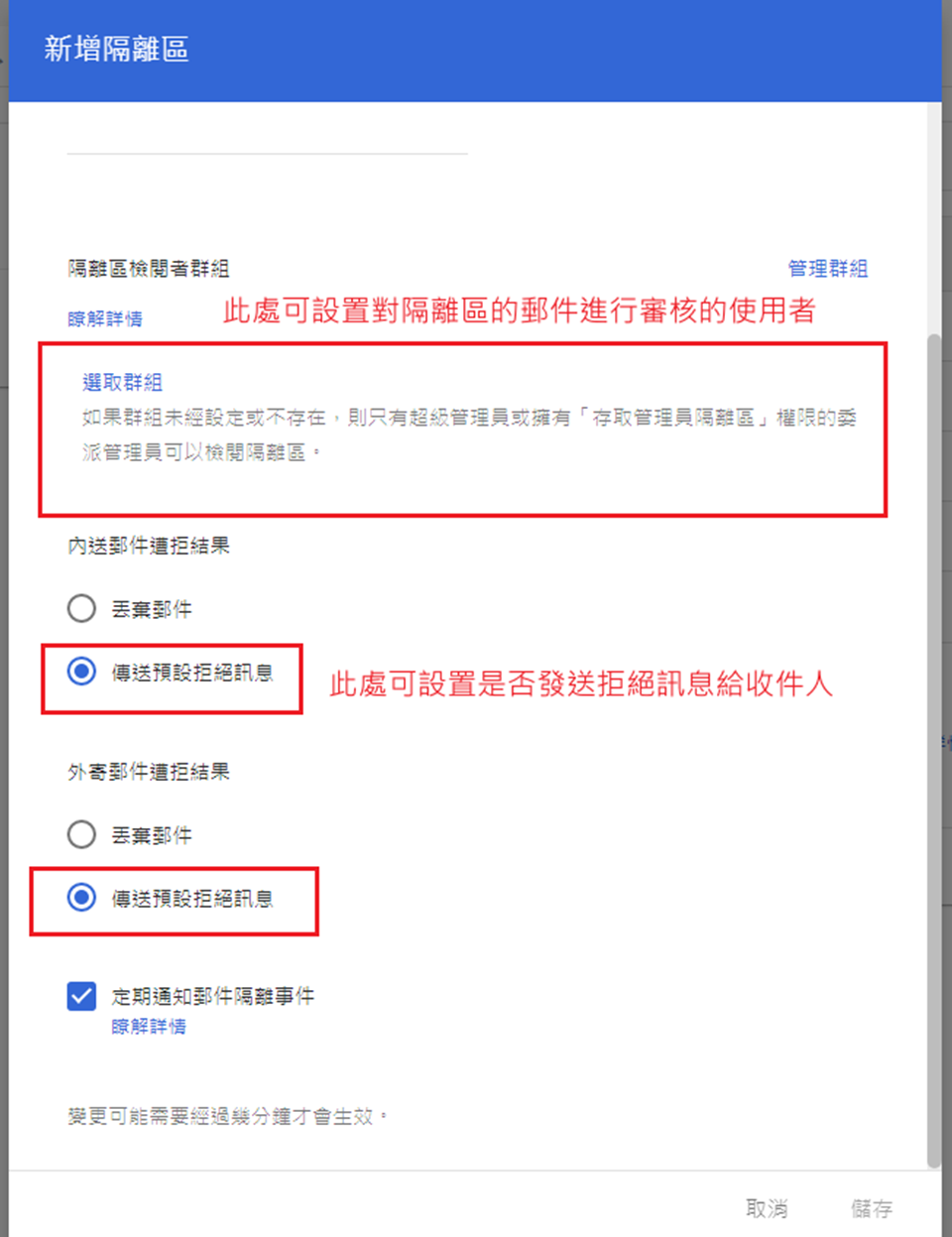
Before proceeding with this configuration, please create a dedicated group for users authorized to perform quarantine reviews. If no review group is specified during setup, only Super Administrators or users assigned the “Access Admin Quarantine” admin role will be able to review quarantined messages.
During the configuration process, you can create multiple distinct quarantine zones tailored to different business needs (e.g., Finance Department, R&D Division) and customize whether recipients receive notifications when their emails are intercepted. This segmented management approach significantly enhances your organization’s overall cybersecurity resilience.
Advanced Strategy: Custom Admin Roles for Layered, Secure Management
As your company grows, the workload for email review increases accordingly. Microfusion recommends that cybersecurity management should not rest solely on a single IT staff member.
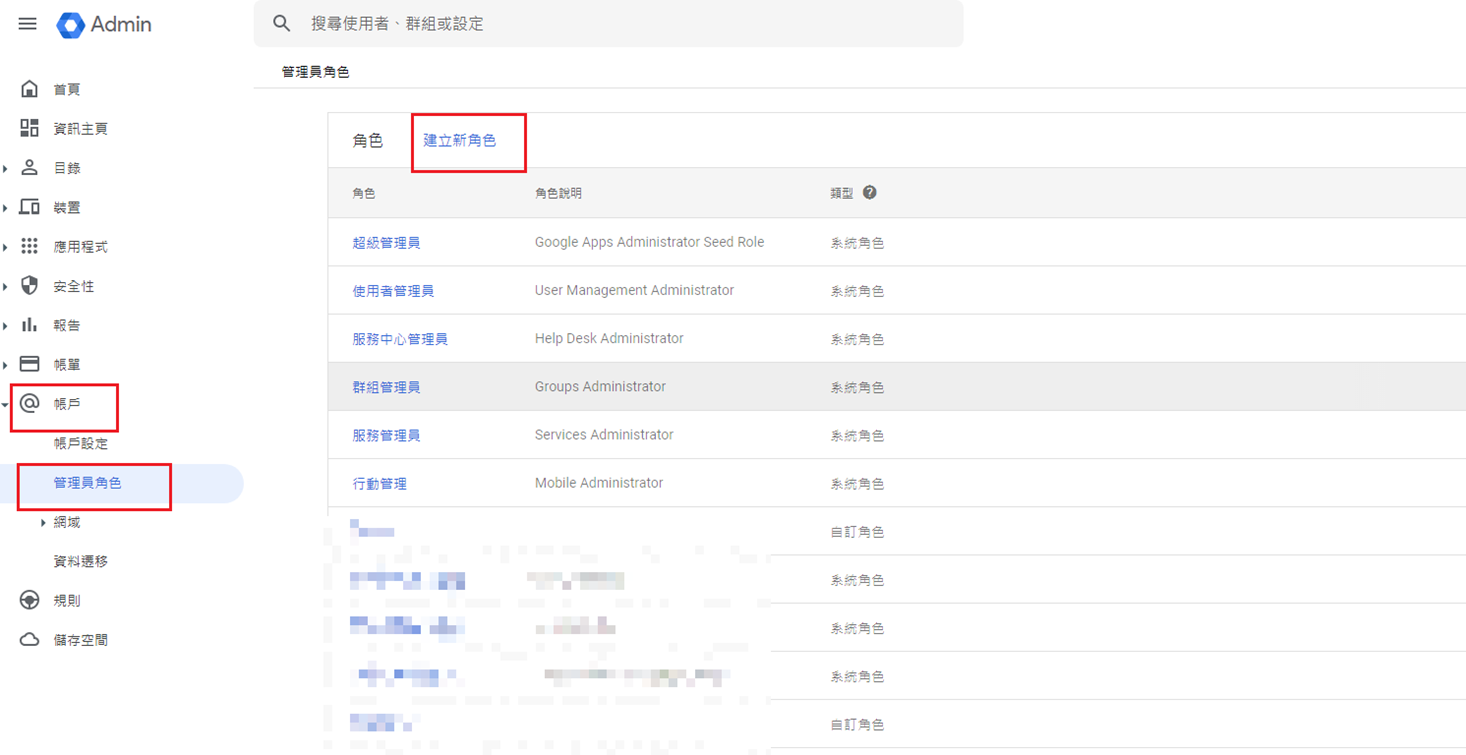
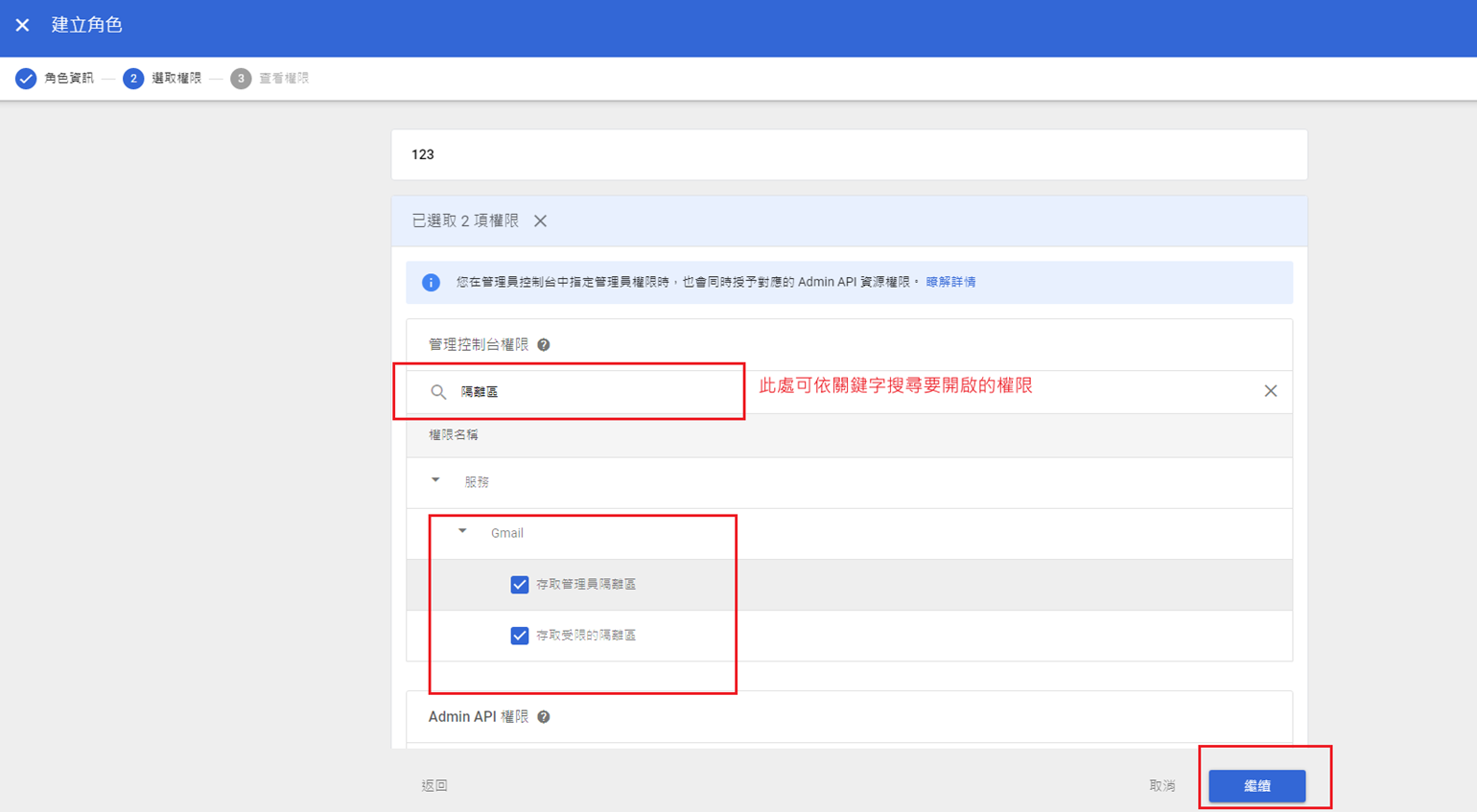
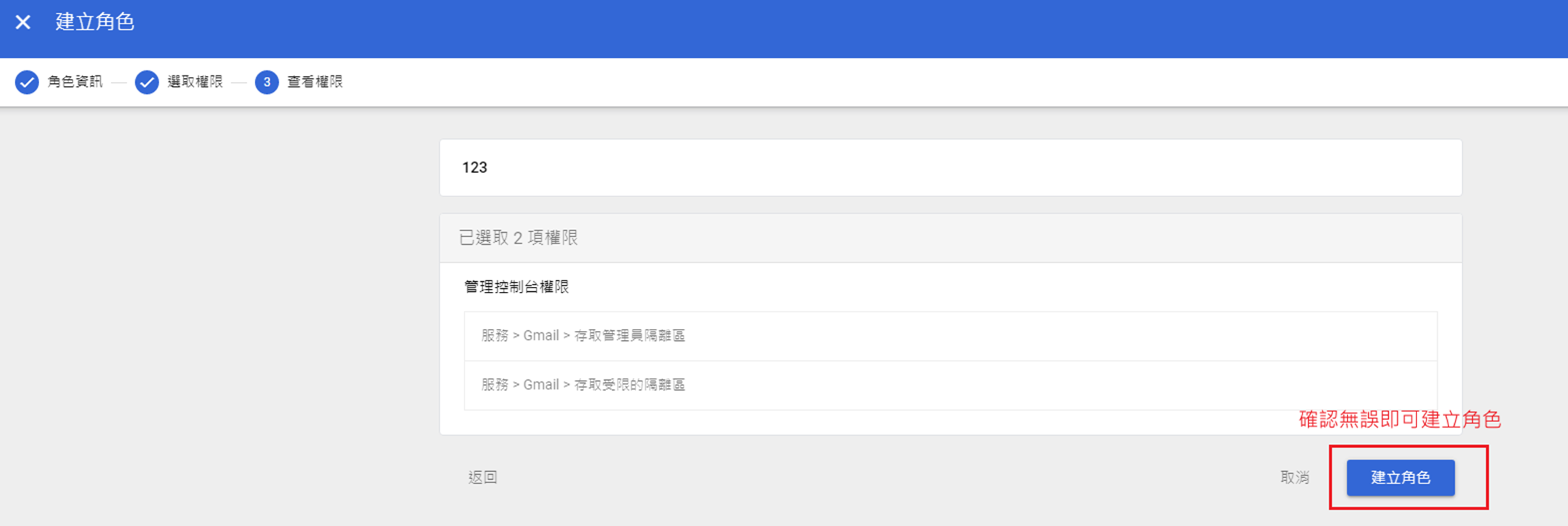
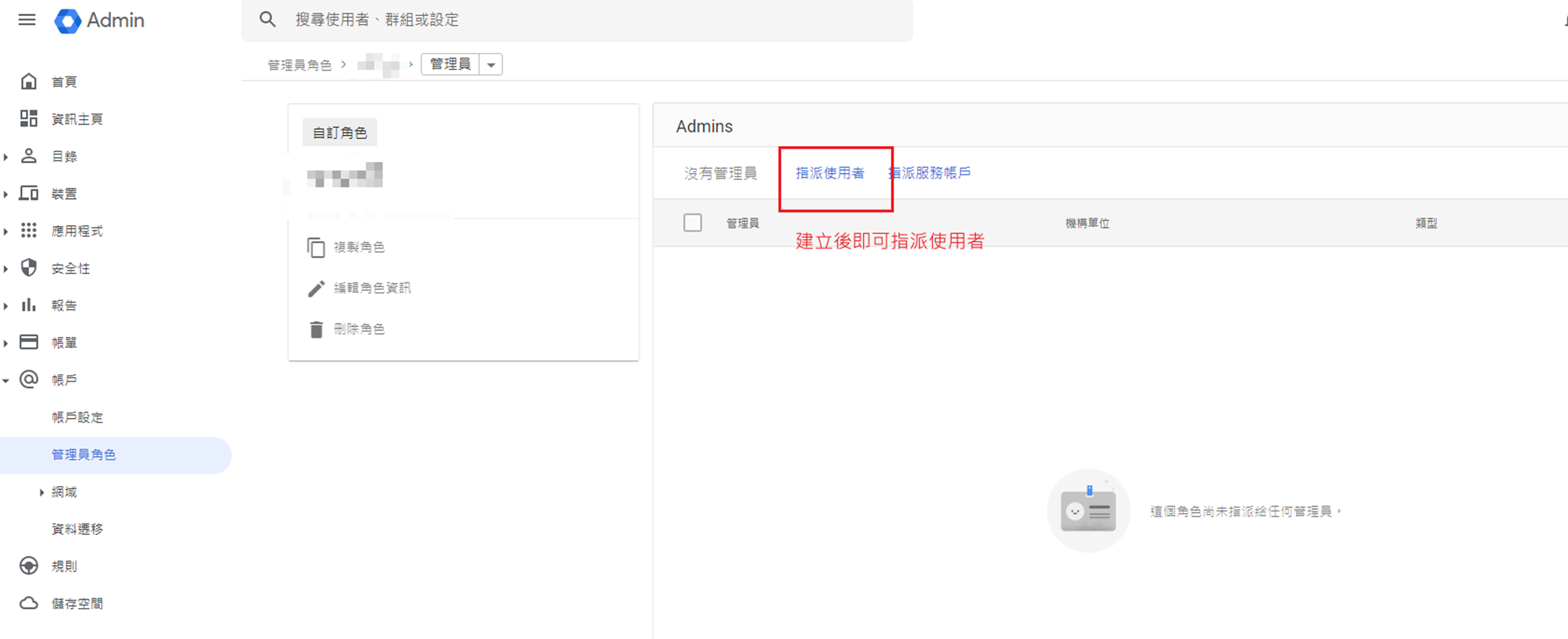
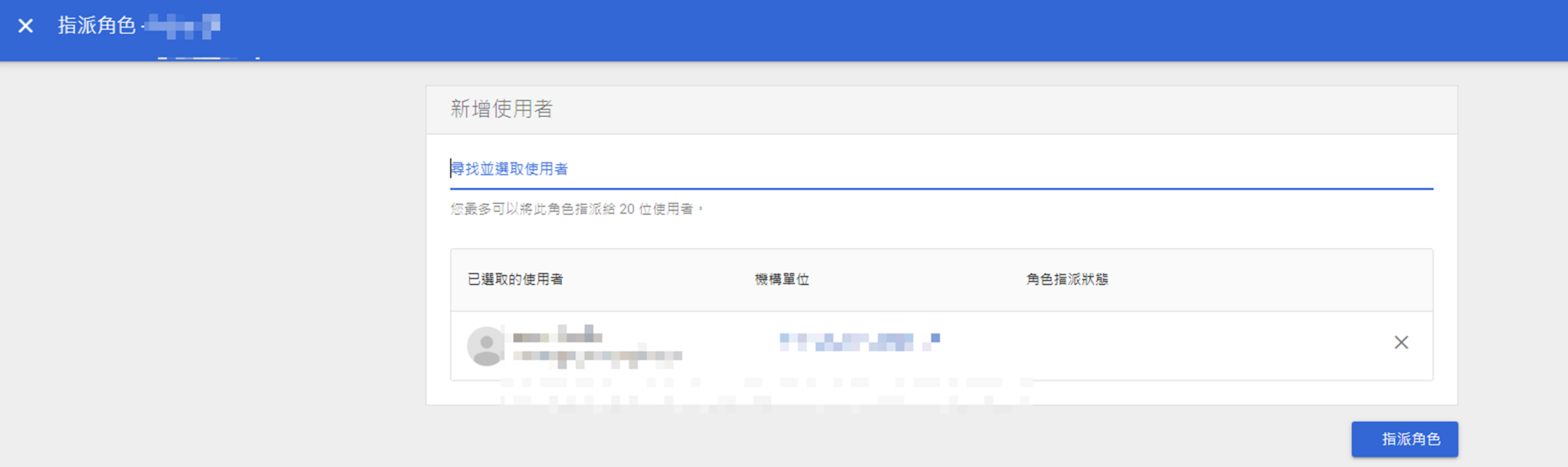
You can create custom admin roles to grant specific department heads or security contacts permission to access and review the quarantine zone. This empowers managers to personally verify whether business emails intercepted for their department were false positives—reducing the burden on IT while ensuring uninterrupted business communication.
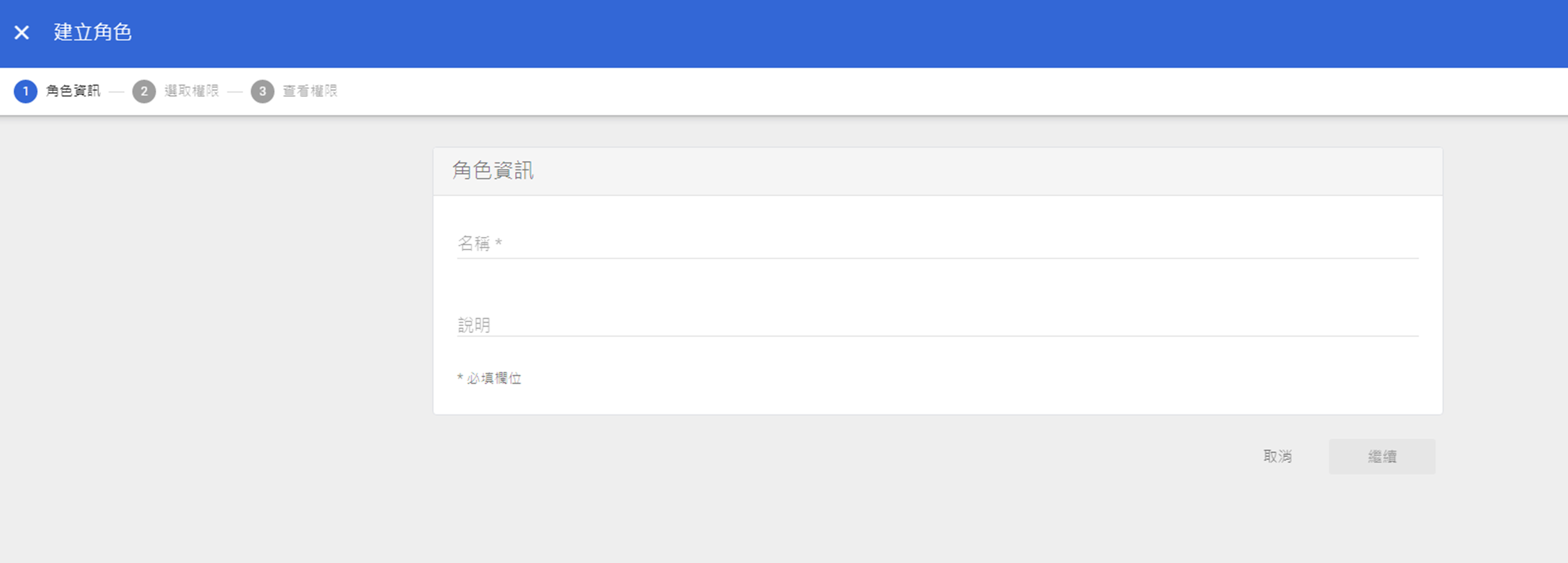
Steps to Configure “Admin Roles”: Admin Console > Account > Admin roles > Create new role
Microfusion has observed that relying solely on firewalls is no longer sufficient to counter increasingly sophisticated social engineering attacks. We firmly believe that enterprises must establish a Zero Trust defense framework. Email Quarantine is not merely a configuration setting; it is an integral part of your organization’s security culture. By combining robust system tools with expert advisory services, we help enterprises build the strongest security moat while maintaining operational efficiency.
Cybersecurity is a marathon, not a sprint—and optimizing email management is the perfect first step. Whether your company has 10 employees or 1,800, Microfusion provides tailored cloud solutions to meet your needs. If you encounter any challenges while configuring Google Workspace, or wish to learn more about proven strategies for large-scale deployment, please feel free to contact Microfusion!