

In the era of digital communication, every email sent to clients serves as the first impression of your brand. Have you ever wondered why some companies’ outreach emails look like professional advertisements, while yours appear as plain text drafts?
Microfusion Insight: In fact, professionalism doesn’t require expensive marketing software. Google Workspace’s recently enhanced “Layout Customization” feature enables enterprises to create branded emails directly within Gmail. This is not just about aesthetics—it is the first step in building brand trust. When clients see consistent logos, color schemes, and professional formatting, their perception of your enterprise’s professionalism naturally improves.
More Than Just Sending Emails—It’s Brand Marketing: Who Can Access These Advanced Features?
This powerful customization feature is not available in all editions. Currently supported editions include:
- Business Standard / Plus
- Enterprise Standard / Plus
- Education Standard / Plus
- Workspace Individual
💡 Microfusion Tip: If you are using a company or school account but cannot find the “Layouts” icon in Gmail, please contact your system administrator to confirm whether the “Document Creation” feature has been enabled in the Admin Console.
Step-by-Step Guide: How to Create Your Exclusive Branded Email Template?
No coding required, and no need to master Photoshop—just follow these steps, and you too can become a design pro:
Step 1: Set Up Your Default Branding (Logo, Colors, Fonts)
This is a one-time setup that will apply to all default layouts.
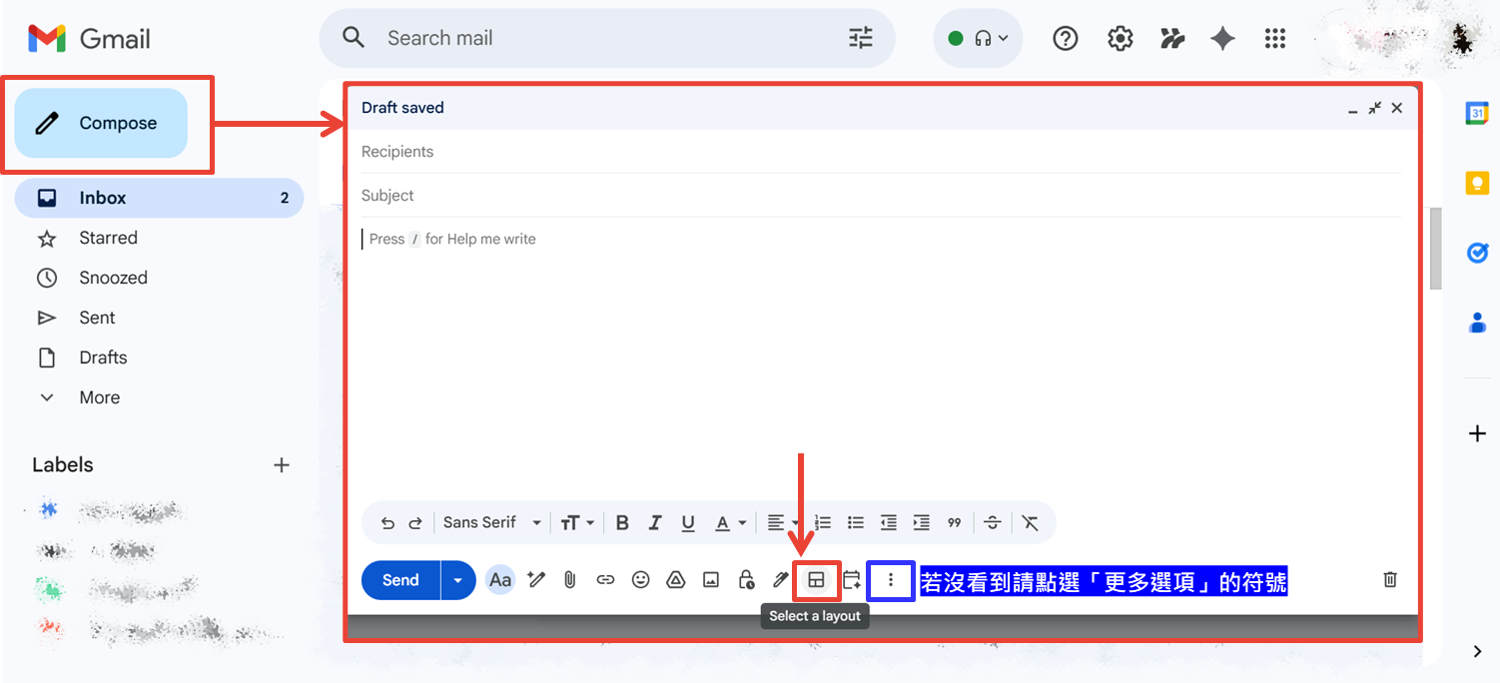
- Open Gmail on your computer and click “Compose”.
- Click the “Layouts” icon at the bottom of the window. If you don’t see it, click the “More options” symbol.
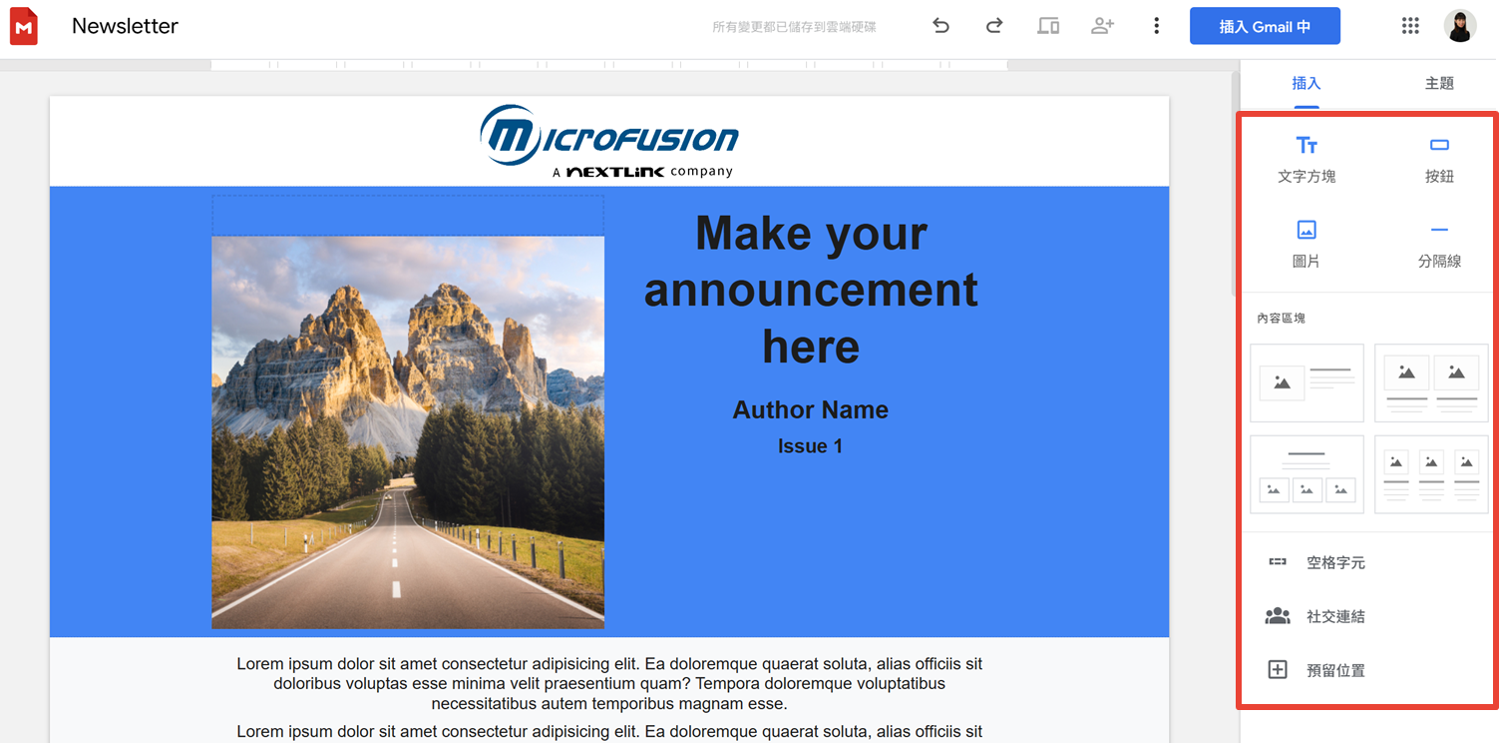
- Select “Default styles”. Here, you can upload your company logo, set brand-standard colors and fonts, and enter footer information such as business name, address, and phone number.
- Finally, don’t forget to add social media links, allowing clients to follow your Facebook or LinkedIn with a single click.
Step 2: Flexibly Use the Editor to Create Customized Content
Once you have your base style set, you can further fine-tune the content of each email:
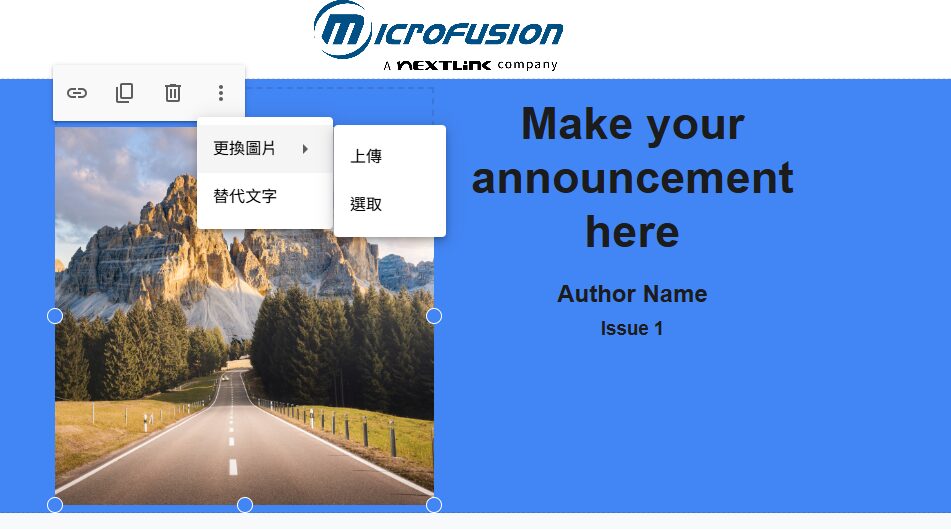
- Replace Images: Simply click on an image block, select “Replace image,” and upload your high-quality product photos.
- Adjust Blocks: Use the editor to easily resize, rearrange, or reposition text boxes and buttons.
Step 3: Preview Across Devices to Ensure Flawless Visual Presentation
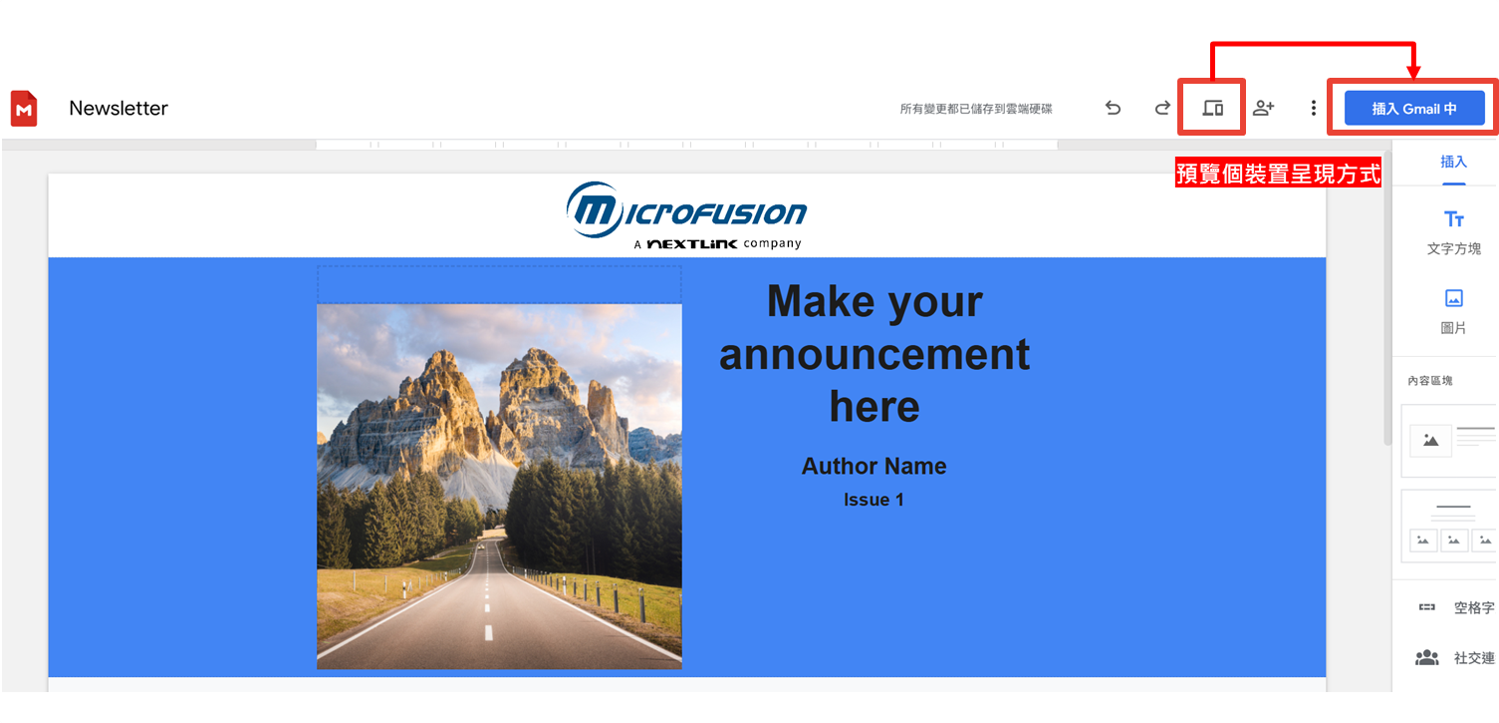
Before clicking “Insert” into Gmail, remember to use the “Preview” icon. You can switch between mobile, tablet, and desktop views to ensure your layout displays perfectly—whether your clients are reading on their phones or in the office.
Microfusion Perspective: Seeing New Opportunities for Brand Transformation Through Tool Upgrades
In today’s rapidly evolving cloud technology landscape, we have observed a clear trend: enterprises are shifting from fragmented tools to integrated native ecosystems.
In the past, marketing teams often needed to purchase third-party EDM platforms separately and transfer contact lists and design assets across different systems. Today, however, with upgrades to Google Workspace’s native features, enterprises can now deliver high-quality branded communications directly within Gmail—the tool they use every day. This not only significantly lowers marketing barriers and budgets but also ensures data security within the cloud environment. Digital transformation doesn’t have to begin with large-scale structural reforms; starting with optimizing the layout of a single email is one of the most effective paths to enhancing brand image and building customer trust.
Wondering if your enterprise edition can maximize these benefits? Or facing challenges managing Google Workspace permissions? Microfusion is a premier partner holding multiple top-tier designations with Google, including Services Partner, Co-sell Partner, and Technology Premier Partner for both Google Cloud and Google Workspace.
With professional certifications across four key domains—Security, Infrastructure, AI, and Chrome—we provide comprehensive, one-stop optimization for your Google Workspace environment, from email security to automated collaboration. We also offer hands-on training courses, guiding your employees step by step to seamlessly master the Google Workspace interface, ensuring your team can quickly get up to speed and boost productivity.
Ready to elevate your enterprise communication quality? Contact Microfusion today, and let us help you build the most efficient cloud workflow tailored to your business needs!